Start with a 30-day trial. Go is for a simple solo start, Plus adds room for a small team, and Pro is for companies with more users, organizations, and projects.
More room for multiple teams, departments, or business units
Best fit when add-ons become a regular cost
2500 projects
10 included active users
5 organizations
30 media files and 50 comments per project
Email support within 1 hour and GSM call option
Add-ons
Add-ons are intended for smaller overages. If you need them regularly, upgrading is usually more cost-effective and easier to manage.
Extra active user100€/year+ VAT10€/month+ VAT
Extra organization150€/year+ VAT15€/month+ VAT
Extra 100 projects120€/year+ VAT12€/month+ VAT
Extra 10 media files per project90€/year+ VAT9€/month+ VAT
Extra 10 comments per project60€/year+ VAT6€/month+ VAT
Billing policy
Billing can be monthly or annual. Annual billing is paid upfront and includes 2 months free, so the yearly amount equals 10 monthly payments. Payment is handled by invoice and, when useful, a Stripe or Revolut payment link. Invoice due date is 14 days followed by an additional 14-day reminder period. Public in-app self-serve checkout is not promised.
Minimax boundary
Minimax is not included in the Kvaltko price. Minimax subscription and possible Minimax API fees remain buyer-side costs in the buyer relationship with Seyfor/Minimax.
Next step
Start with clearer customer work
Open Kvaltko, connect Minimax, and organize customers, tasks, and agreements in one place.
Kvaltko is built for people who want customers, tasks, agreements, and documents close at hand without adding a heavy CRM suite.
Less searching at last
The biggest difference is that agreements no longer disappear between messages, calls, and notes. When I open a customer, the context is already there.
The office can follow the work
Before, we checked many things by phone. Now it is clearer what is open, what was agreed, and which documents belong to the customer.
Simple enough for the team
We did not want a large CRM. We wanted something the team would actually use. Kvaltko is short enough that it does not become more administration.
Easier for internal IT
From IT, I can quickly see whether the issue is access, permissions, or data. There is less guessing and less explaining by phone because customers, documents, and recent agreements are in one place.
Phone work finally makes sense
When I am with a customer, I do not search through old messages. I open Kvaltko, check the task, documents, and last agreement, then continue.
Clearer view of open work
The most useful part is seeing what is still open and who owns the next step. It is not a completely new process, just a cleaner way to work.
Photos and stages stay with the project
On installation work, what helps most is keeping before, during, and after photos with the project and marking the current stage. When a customer calls a week later, I no longer search through the phone gallery.
The job is clear on the way
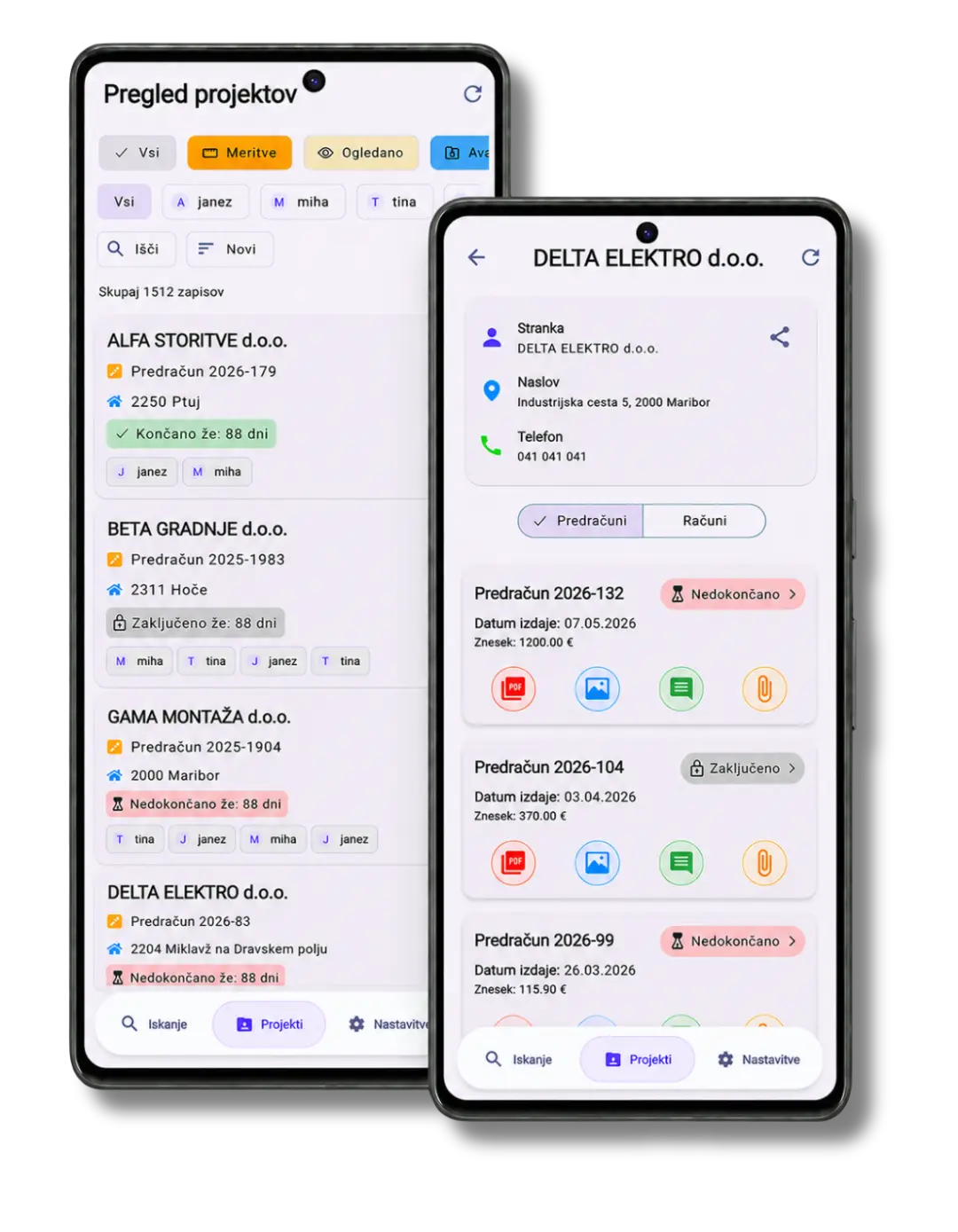
The team lead assigns me the project, and on my phone I see the address, phone, email, and what needs to be done. On the way to the customer, I just tap the address for navigation or the phone number to call.
Fewer calls back to the team lead
Before, I often called to ask for the address or contact again. Now I have the customer card open, see notes and documents, and after the job I add photos so the team knows what was done.
FAQ / GEO
Answer-ready questions
Can I pay annually?
Yes. Annual billing is paid upfront and includes 2 months free. You pay for 10 months and use Kvaltko for the full year.
Is billing self-serve?
No. Billing and payment are manual, usually by invoice and, when useful, a payment link.
What happens if I exceed the project limit?
You can upgrade the plan or add project credits. An extra 100 projects costs 10€/month or 100€/year + VAT.
Does the price include Minimax?
No. Kvaltko and Minimax are separate systems and separate costs.